Security 51 Controls
Keyboard, mouse, and gamepad — every input for the checkpoint desk.
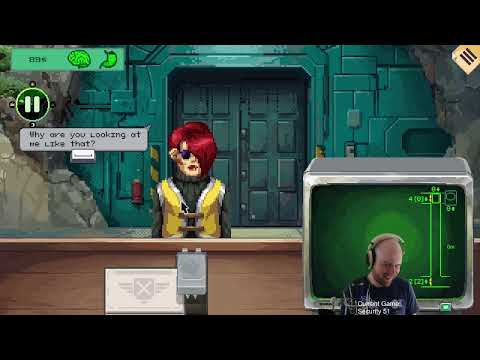
Security 51 is built for deliberate desk work. Alawar expects you to drag papers, flip tools, and punch elevator commands without fighting the UI. Whether you play on Windows or macOS via Steam (App 4246860), comfortable controls reduce sanity loss from fumbled inputs — separate from the sanity bar drain documented in Sanity and Supplies.
This hub links every controls page on the wiki. Pick your hardware, learn bindings once, then return to verification guides like Document Verification and Spotting Anomalies without looking down at keys mid-shift.
Choose your input method
| Page | Best for |
|---|---|
| Keyboard and Mouse | Default PC layout, fastest document dragging |
| Controller | Gamepad play with Steam full controller support |
| Hotkeys & Shortcuts | Shift desk toggle, Space dialogue, efficiency binds |
Most PC players use mouse for precision on passports and photos. Controller works for accessibility and couch play — confirm sensitivity in settings before long shifts from Early Shifts Walkthrough.
Controls tie to every system
Document checks need quick tab between passport, pass, and record window. Keyboard and Mouse lists drag and compare shortcuts. Anomaly screening benefits from camera zoom keys when inspecting rashes — see Spotting Anomalies.
Elevator commands must be muscle memory before empty-camera events in Elevator Headcount. X-ray and biometric tools add extra buttons covered in X-Ray Scanning and Fingerprint and Blood Tests. Quarantine and guard calls need reliable keys under stress — Quarantine Protocol.
Settings and accessibility
Steam Input remaps controller layouts. Mouse users should disable overly high sensitivity that skips document hotspots. macOS players verify right-click or secondary bindings if drag feels sticky on trackpads.
No promo codes alter controls. Demo (App 4351470) uses the same core bindings as full release — Demo vs Full Game for content limits, not input differences.
Related resources
- Getting Started — Start Day before practicing inputs
- Verification Checklist — procedural order while learning keys
- Launch Patch Notes — if patches add new tool hotkeys
Master one input method per career playthrough. Switching mid-game resets muscle memory when bulletin pressure spikes. Choose keyboard or controller from this hub, drill one shift in the demo, then commit.
Practice drill before career mode
Run one demo shift using only keyboard shortcuts from Keyboard and Mouse, then one using Controller bindings. Note which input clears photo compares fastest and commit for your main career. Re-test after Launch Patch Notes if tool hotkeys change. Input fluency directly reduces wrongful denies that drain sanity in Sanity and Supplies.
Frequently Asked Questions
Quick answers to the most common questions.
Does Security 51 support controllers?
Yes. Steam lists full controller support. See our Controller page for layout notes and Steam Input tips.
What is the best input for document checks?
Mouse and keyboard are fastest for dragging passports and comparing photos. Controller works with practice.
Can I remap keys?
Steam Input remaps controller buttons. Keyboard remapping depends on in-game settings and Steam overlay options.
Are controls different on macOS?
Core bindings match Windows. Trackpad users should verify drag and secondary-click behavior for document tools.
Do controls change after patches?
Major patches may add tool hotkeys. Check Launch Patch Notes when updates land after August 12, 2026.